Open Houses Overview
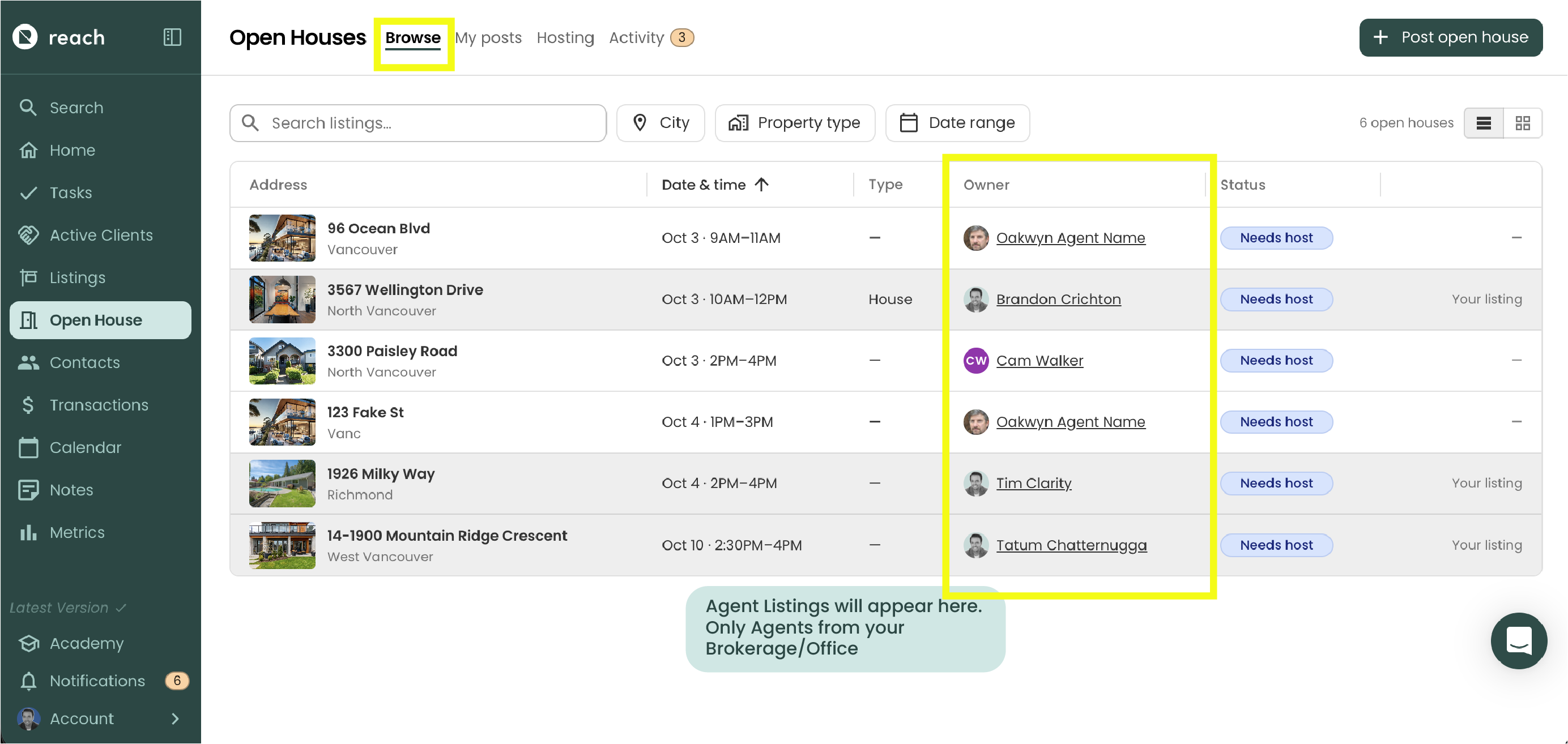
Reach CRM's Open House section lets agents in the same brokerage publish and cover open houses for each other. No more hassle of text message, or office wall "publications." A listing agent who can't be at their own open house, posts it to a shared board, and another agent in the brokerage can be allowed to 'request to host'. Each open house is a one-off arrangement between two agents, and can be published publicly to the entire office or brokerage, or privately pushed to a specific agent internally (via private settings).
In the sidebar, click Open Houses to get started.
If you are operating in a brokerage-style account, Open Houses is a Pro feature, and your account must belong to your brokerage's open house group. If you see "You are not part of an open house group", contact Reach support to have your brokerage enrolled. There are steps that our team need to take to ensure compliancy.
Who's who
- Listing agent: The agent looking for coverage for his/her open house. They post the open house, confirm the host, and can track audience attendance and responses, with an option to send a final report to their seller.
- Host: the agent who "requests" to host the open house on the day. They get their own copy of the listing's InfoPack (cloned to their branding) , keep the leads who sign in, and optionally send a report back to the listing agent afterwards. The host can check the open house post anytime they want to see whats "available" to host. One Spot. Ton of Opens.
How it works
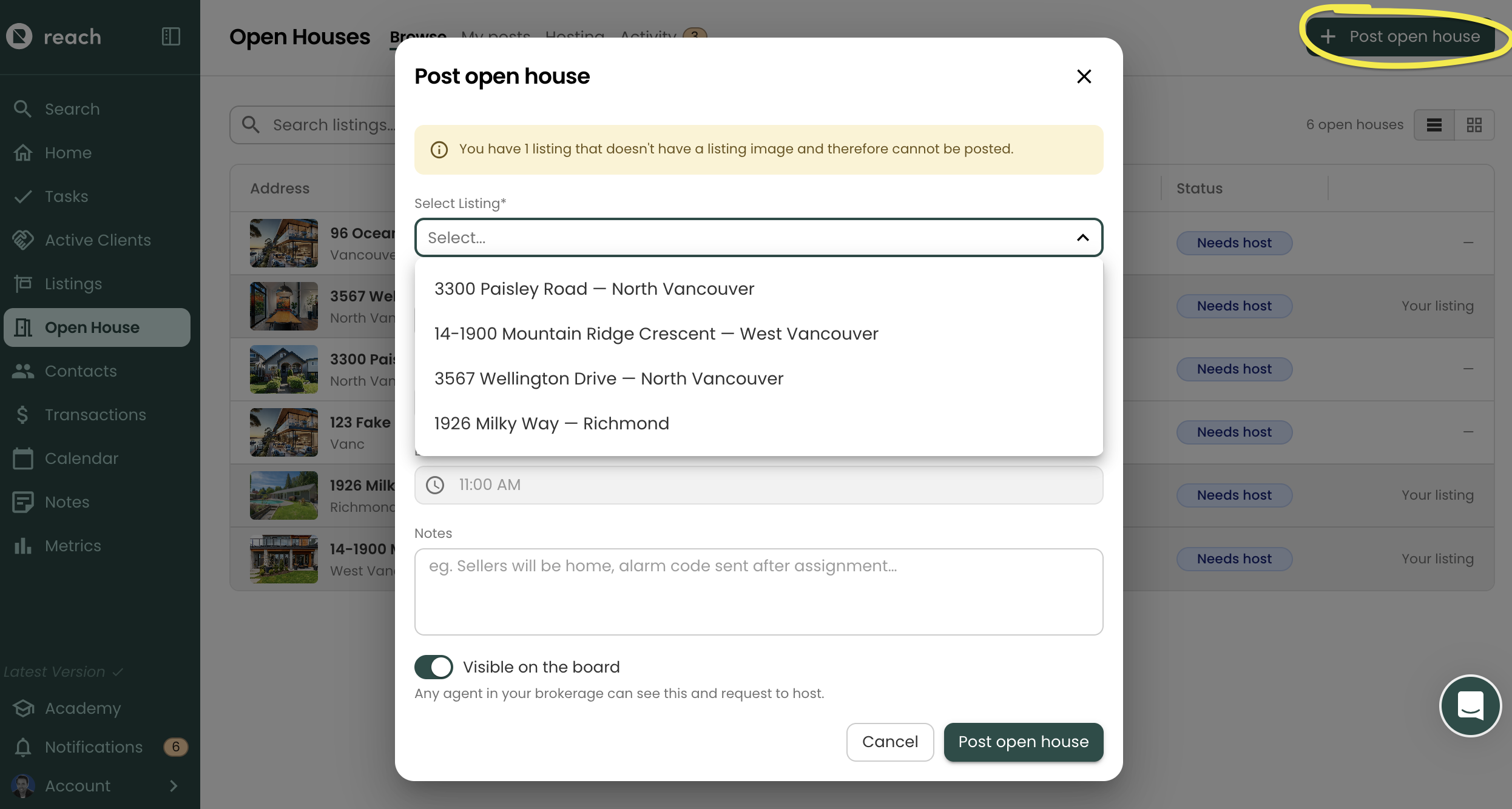
Post: the listing agent posts an open house for one of their active listings. Reminder: you will need to post 2x posts if you want a Saturday + Sunday coverage. One posting per event/open house.
Select The listing
Set the duration
Create a note (if needed) for any host to review, prior to requesting.
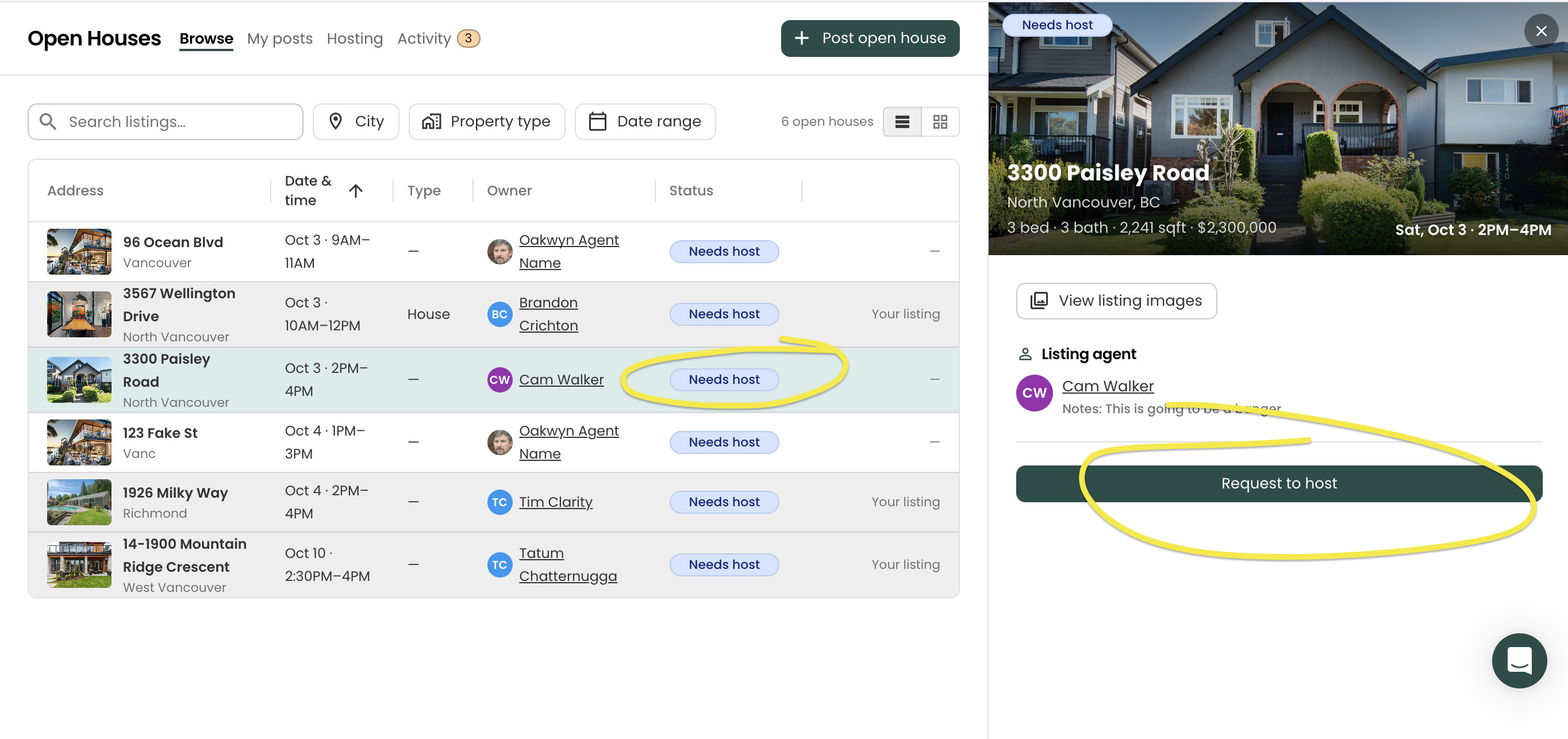
Finding a host: other agents in the brokerage 'Browse' the open house availability and see the posted open house. They click on the posting to open the details, and request to host. The listing agent can also invite agents who have posted their availability.
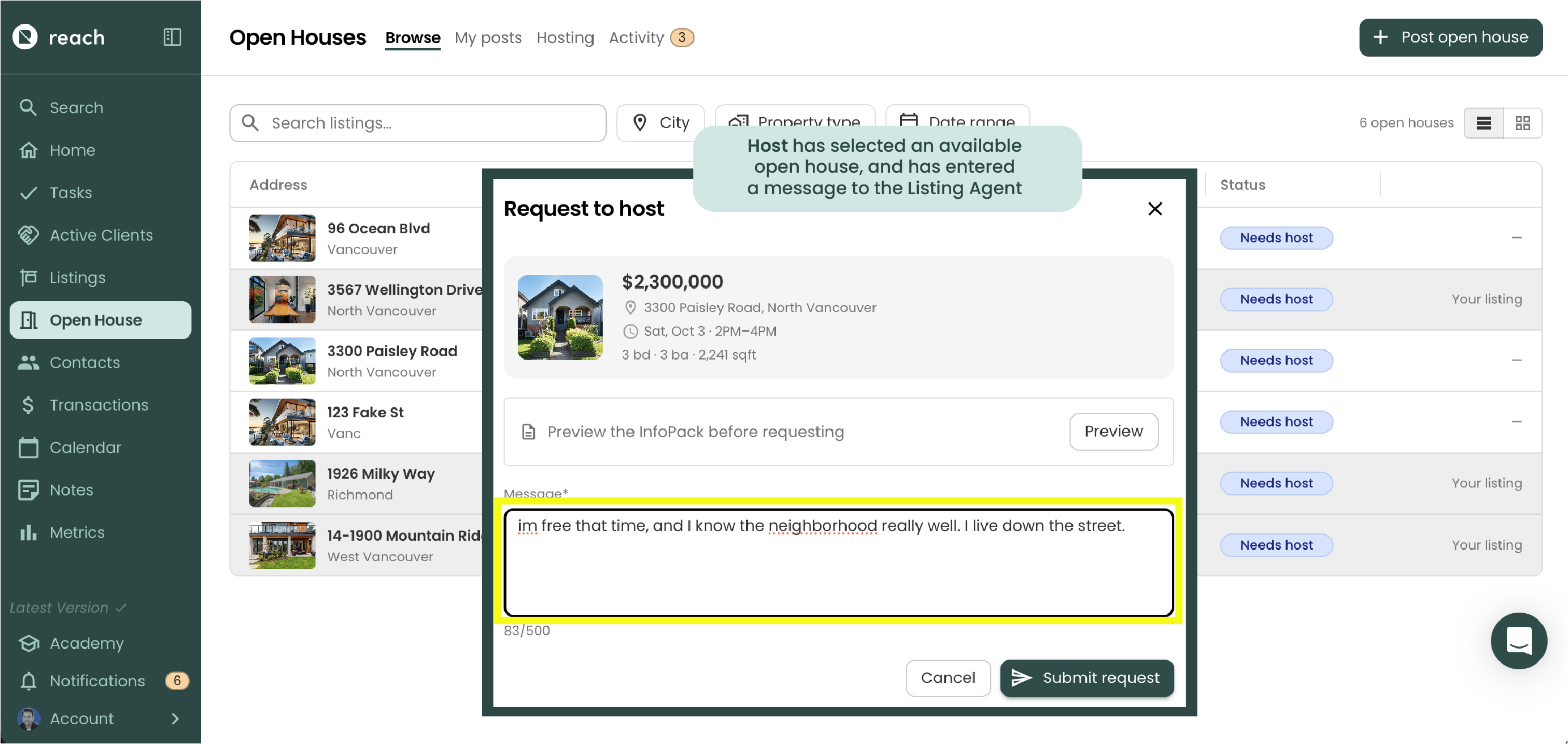
NOTE: When the Host requests to host your open house, they will have an area to fill out the Request. Here they can preview the InfoPack and leave a comment for you (maybe telling you why they are best to represent you at your open house).
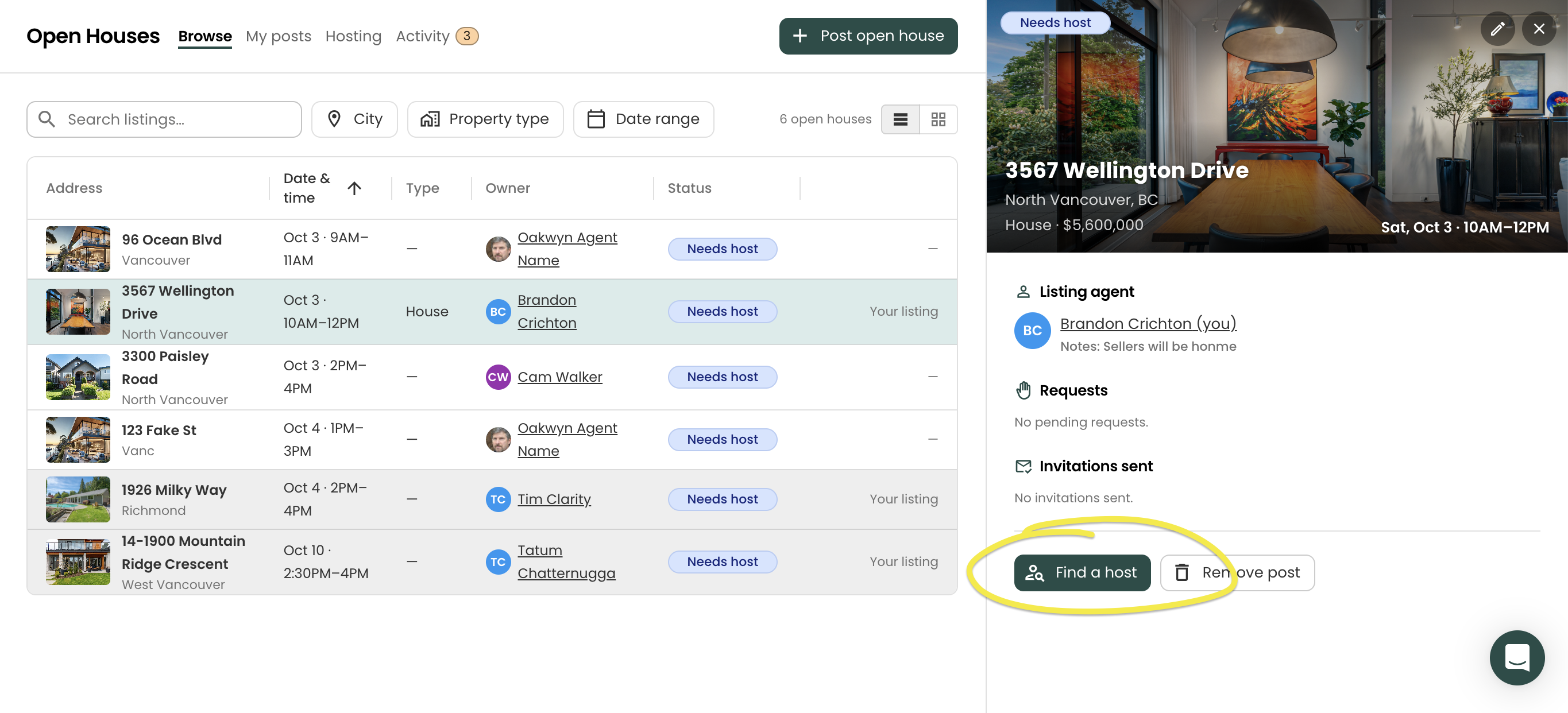
If the Listing Agent wants to target a specific host, they can select their Listing from the "Browse" tab above, and click on "Find a Hose"
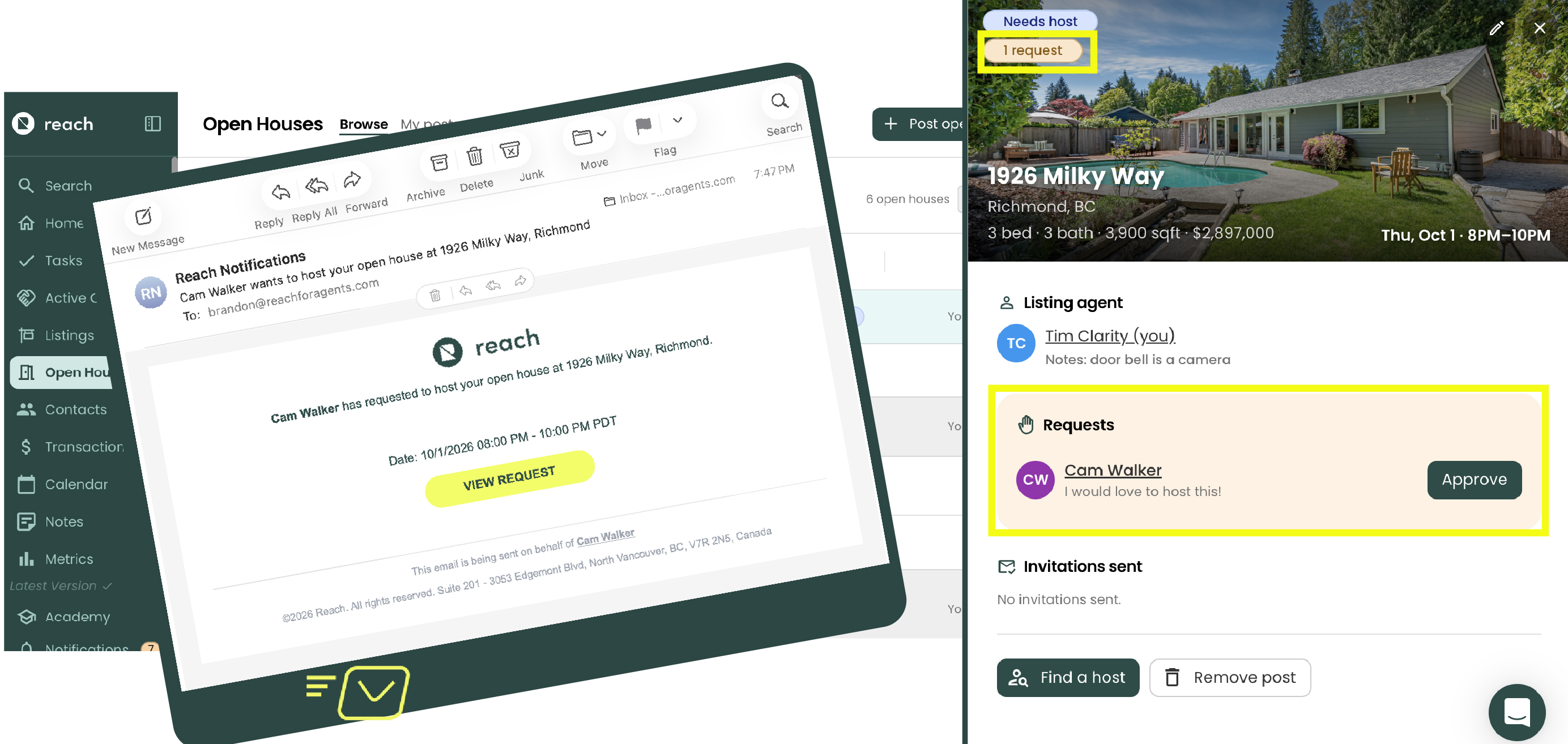
Confirm: the listing agent receives and approves a 'Request to host', or an invited agent accepts. Either way, the host is confirmed straight away and everyone else is told the spot is filled.
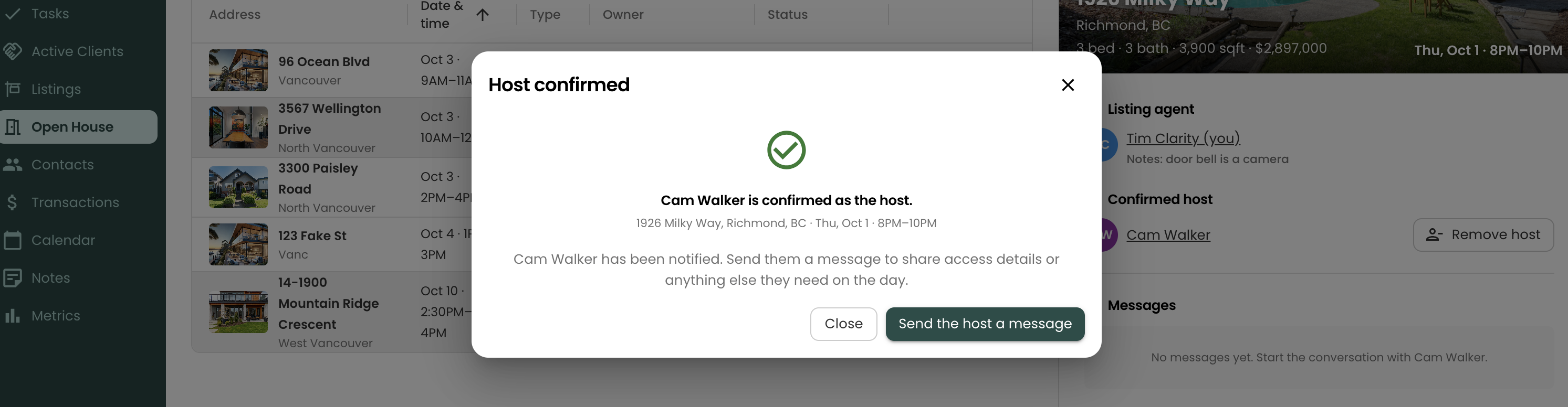
NOTE: The confirmation message will allow you to message with the hosting agent, via Reach CRM. More on this, see Open House Activity
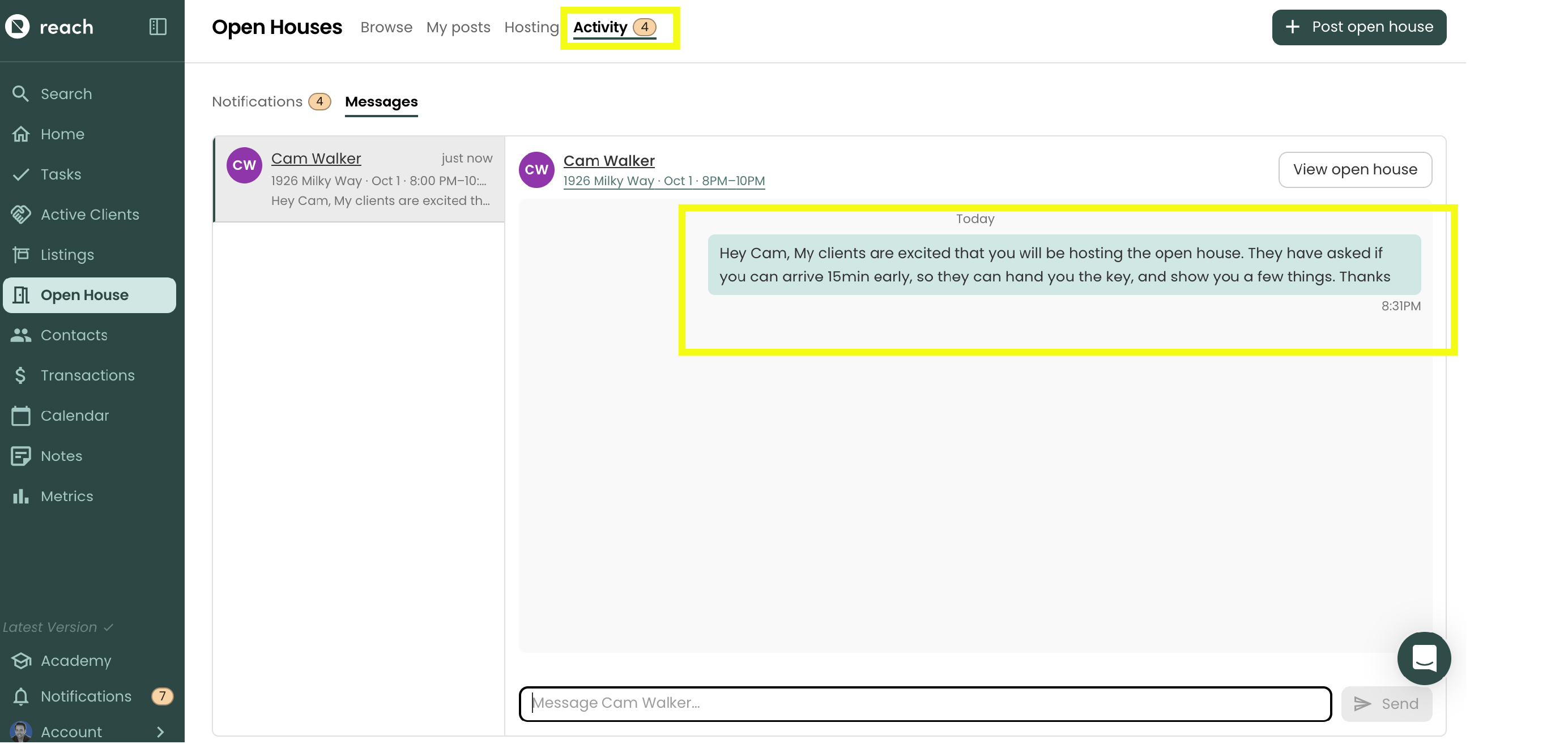
MESSAGING: The Host may message the Listing Agent, via Reach CRM. All this is tracked in a brand new "Activity" section.
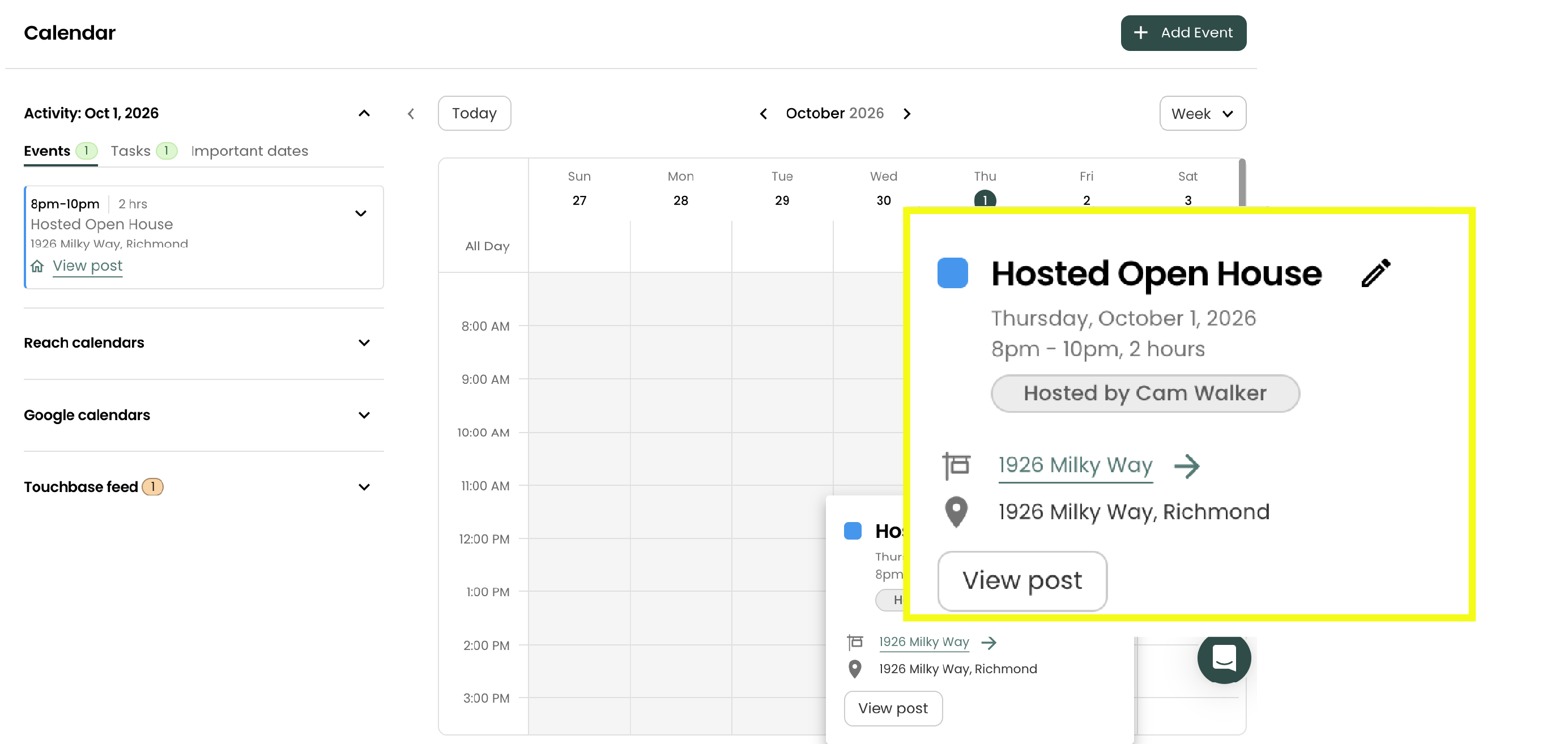
Prepare: both agents get an Open House event in their Reach calendar. The host agent gets a copy of the listing's InfoPack to edit and share (almost like a cloned copy). The two agents can message each other inside Reach. Important note, any sensitive documents maintain their sensitivity. ONLY "public" documents are cloned to the host agent. This eliminates errors in potentially your hosting agent, sharing sensitive documents only reserved for agents, etc.\
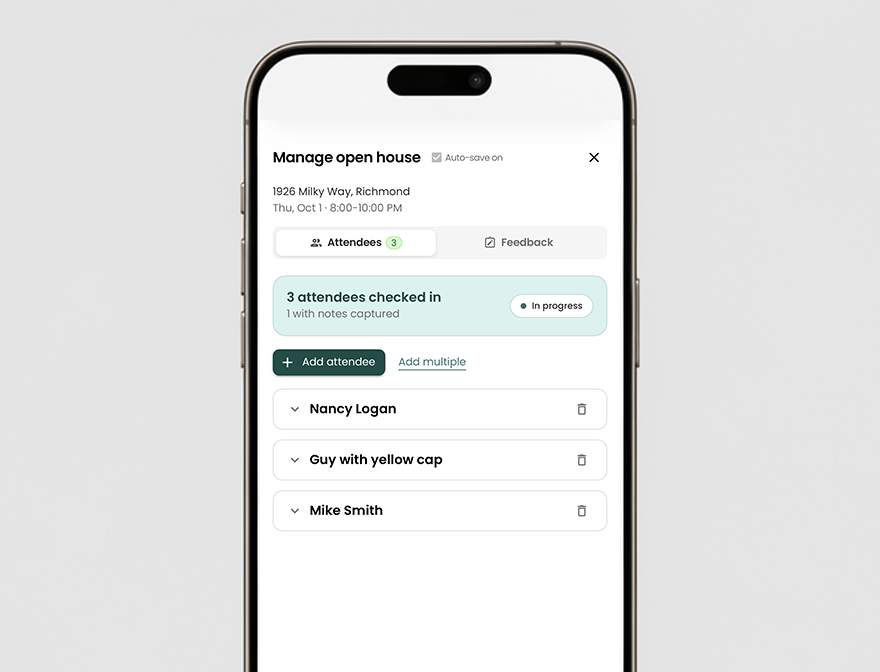
 5. Host: the host runs the open house and tracks guests with the Manage open house feature, that allows for tracking each guest to the open house, which can be:
be retained by the host, for future client (lead capture)
be uploaded to the seller portal for the Listing Agent, if they authorize
Report: after the open house, the host submits their feedback to the listing agent. The listing agent reviews it and publishes it to the seller's Seller Portal. for more on the Open House Report
The four tabs
At the top of the Open Houses page are four tabs:
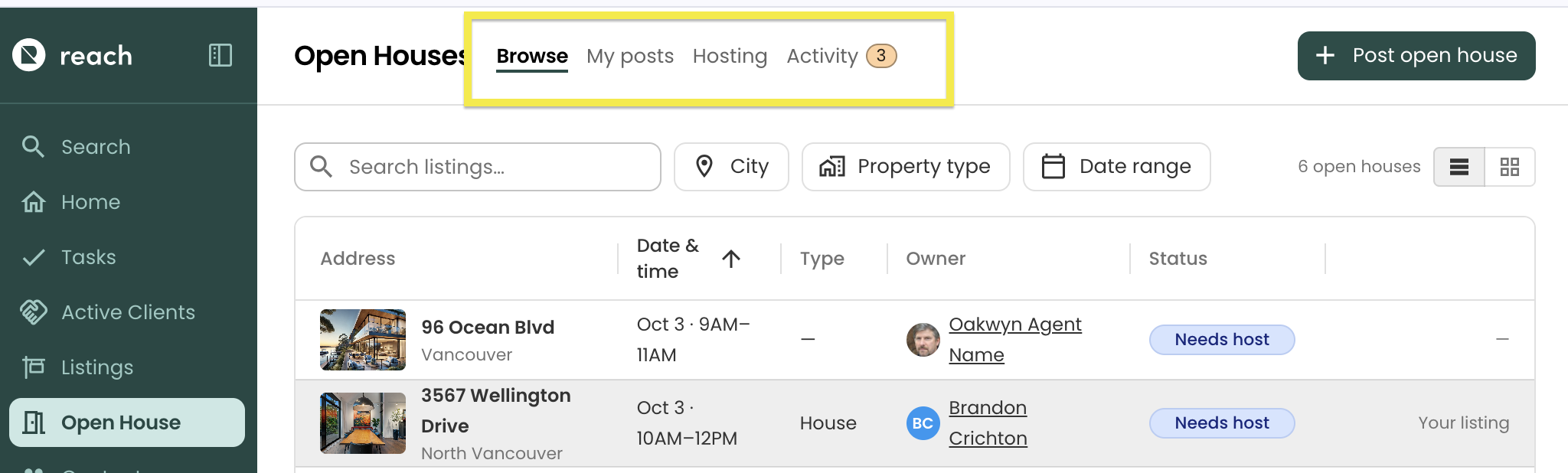
| Tab | What it's for |
|---|---|
| Browse | Every upcoming open house in your brokerage that's looking for a host, including any open house that you have posted (we show ALL brokerage/office open houses). |
| My posts | The open houses you've posted for your own listings. This is where you review requests, find hosts, and make any quick edits |
| Hosting | Open houses you're hosting, have requested to host, or have been invited to host. |
| Activity | Your open house notifications and your message threads with other agents. |
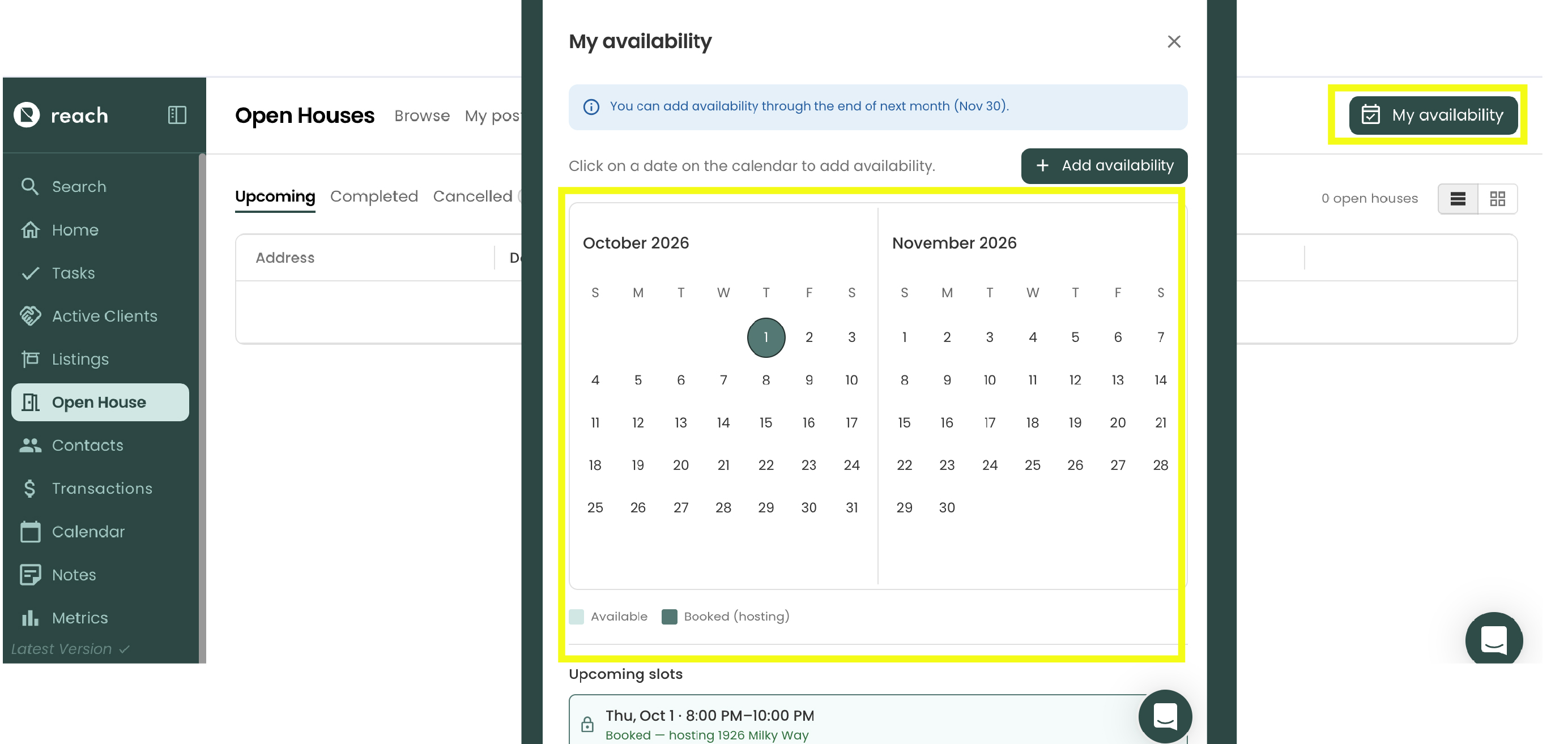
On the Hosting tab it's My availability, where you tell other agents when you're free to host.
On Browse, My posts and Hosting, you can switch between a table view and a card view. Click any row or card to open its details.
Status labels
Statuses update automatically as things happen, including when an open house's start and end times pass.
On Browse and My posts
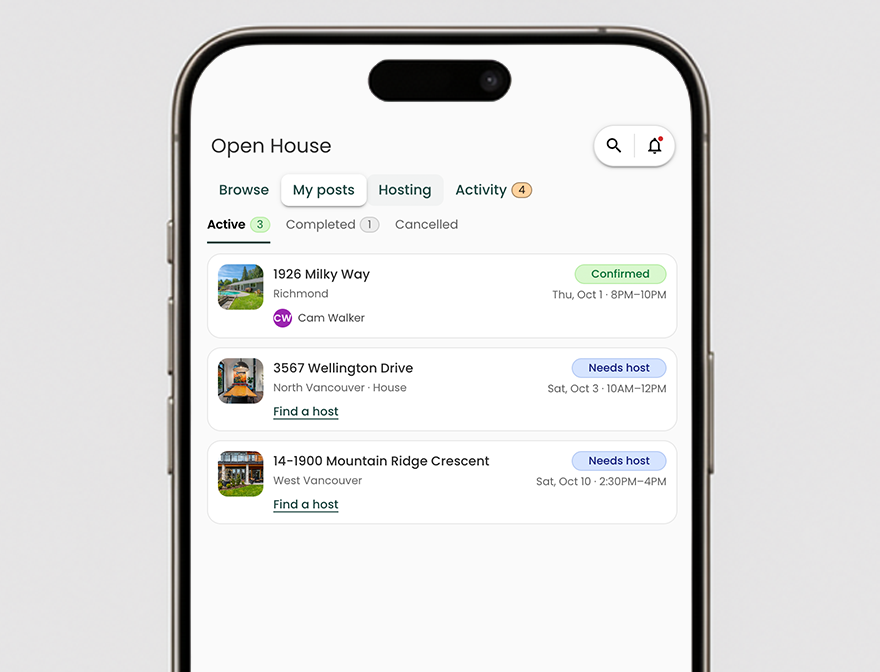
- Needs host: posted, with no host confirmed yet
- Confirmed: a host has been confirmed
- Requested / Invited: you've asked to host this one, or the listing agent has invited you
- Post cancelled: the listing agent removed the post
- Hosting cancelled: a host was confirmed, but the hosting was later cancelled
- Private: the post is hidden from the board (see Visibility)
- Cancel requested: the host has asked to cancel
After the open house (My posts)
- Awaiting host feedback: the host hasn't submitted their report yet
- Report ready to send: the host's feedback is in and ready for you to review
- Report sent: you've published the report to your seller
- Expired: the open house passed without a confirmed host
On Hosting
- Confirmed: you're the host and the open house is coming up
- Happening now: the open house is in progress
- Feedback required: the open house is over and the listing agent is waiting for your report
- Submitted feedback: you've sent your report
- Cancelled: the open house or your hosting was cancelled
Upcoming, completed and cancelled
My posts is split into Active, Completed and Cancelled. Hosting is split into Upcoming, Completed and Cancelled. The Completed and Cancelled lists show recent open houses first. Click Show older open houses at the bottom of the list to see older ones.
Privacy
- Only agents in your brokerage's open house group (Office or Brokerage) can see your posts and your availability.
- When you request to host, only the listing agent sees your message. Other agents can't see who else has requested.
- Guests who sign in at a hosted open house become leads in the host's Reach account. The listing agent sees the guest count and the host's notes, not the guests' contact details.